
Order List
The Order List section displays all customer orders in a single view with key details like order ID, customer, total, and status for quick tracking.
Order List
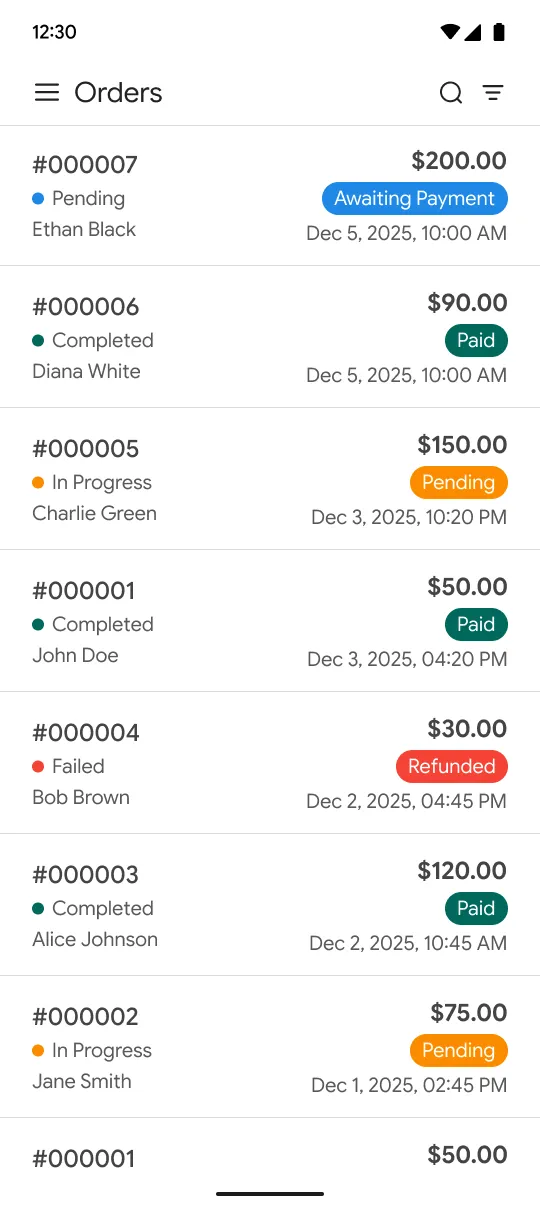
It usually displays key information such as:
-
Order ID
-
Customer name
-
Order date
-
Order status (Pending, Processing, Complete, etc.)
-
Payment status
-
Total amount
This page helps admins quickly search, filter, and review orders without opening each one individually.
Order Details
Order Details is the detailed view of a specific order. It shows complete information of a selected order for easy review and management.
Order Details
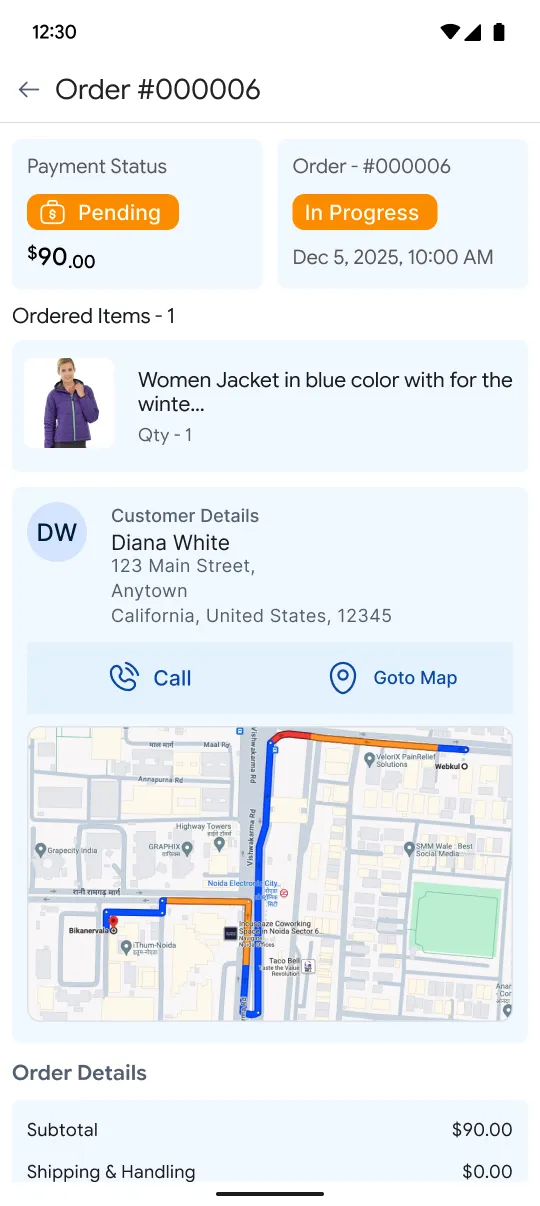
When you click on an order from the Order List, you can see complete information such as:
-
Customer information
-
Billing and shipping address
-
Products purchased
-
Quantity, price, and discounts
-
Shipping method and tracking
-
Payment method and transaction info
-
Order history and comments
This view helps the admin manage the order efficiently — like updating status, printing invoices, issuing refunds, or tracking shipments.

