In this blog, we will learn how to build a Food Delivery App using Node.js and Medusa.
Introduction
A Food Delivery App helps delivery agents manage assigned orders, update delivery statuses, and track deliveries efficiently.
Medusa simplifies backend development with flexible APIs and extensible commerce functionalities.
Explore more about how to build a Food Delivery App in Node.js in its official documentation.
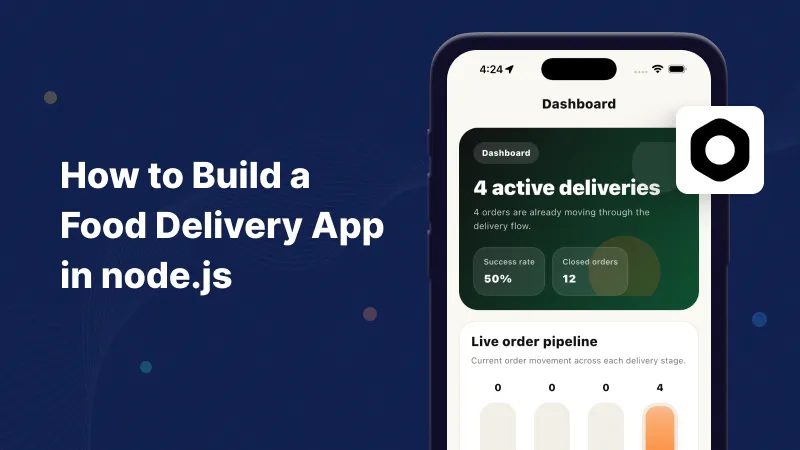
Features of the Food Delivery App
Our food delivery application will include the following features:
- Delivery Agent Authentication
- Assigned Order View
- Order Acceptance and Rejection
- Order Pickup Management
- Delivery Status Updates
- Real-Time Location Tracking
- Order History Management
- Push Notifications for New Orders
- Customer Contact Information Access
- OTP-Based Delivery Verification
What We Are Building
We will build a Food Delivery App that enables delivery agents to manage assigned orders and delivery operations.
We will create custom APIs in Medusa to manage order assignment, delivery status updates, and real-time delivery tracking.
It will also allow delivery agents to view orders, update delivery progress, and verify deliveries efficiently.
Prerequisites
- Node.js 20 or later
- PostgreSQL
- Medusa
- VS Code
Step 1: Create the Medusa Project
Create a new Medusa application:
|
1 |
npx create-medusa-app@latest food-delivery-app |
Navigate to the project directory:
|
1 |
cd food-delivery-app |
This command creates a Medusa backend with all required commerce modules.
Step 2: Configure the Database
Create a PostgreSQL database and update the environment variables:
|
1 |
DATABASE_URL=postgres://postgres:password@localhost:5432/food_delivery PORT=9000 |
The database stores products, customers, carts, and order information.
Step 3: Start the Medusa Server
Run the application:
|
1 |
npm run dev |
The server will start at:
|
1 |
http://localhost:9000 |
Medusa automatically exposes APIs for commerce operations.
Step 4: Create a Delivery Agent Module
Create a file named models/DeliveryAgent.ts:
|
1 2 3 4 5 6 7 8 |
import { model } from "@medusajs/framework/utils"; export const DeliveryAgent = model.define("delivery_agent", { id: model.id().primaryKey(), name: model.text(), email: model.text(), phone: model.text(), }); |
This model stores delivery agent information such as name, email, and contact details.
Step 5: Create an Assigned Order Module
Create a file named models/AssignedOrder.ts:
|
1 2 3 4 5 6 7 8 |
import { model } from "@medusajs/framework/utils"; export const AssignedOrder = model.define("assigned_order", { id: model.id().primaryKey(), order_id: model.text(), delivery_agent_id: model.text(), status: model.text(), }); |
This model stores assigned orders and their delivery status.
Step 6: Create a Delivery API
Create a file named api/delivery/route.ts:
|
1 2 3 4 5 6 7 8 9 10 11 12 13 14 15 16 17 18 19 |
import { MedusaRequest, MedusaResponse, } from "@medusajs/framework/http"; export async function GET( req: MedusaRequest, res: MedusaResponse ) { res.json({ orders: [ { order_id: "ORD_001", status: "Assigned", delivery_agent: "John Doe", }, ], }); } |
This API endpoint can be used to retrieve delivery-related information from the backend.
Step 7: Create a Delivery Tracking Workflow
Create a file named workflows/track-delivery.ts:
|
1 2 3 4 5 6 7 8 |
export async function trackDelivery(orderId: string) { return { orderId, status: "Out for Delivery", deliveryAgent: "John Doe", estimatedDeliveryTime: "30 Minutes", }; } |
This workflow helps manage delivery status updates and order tracking.
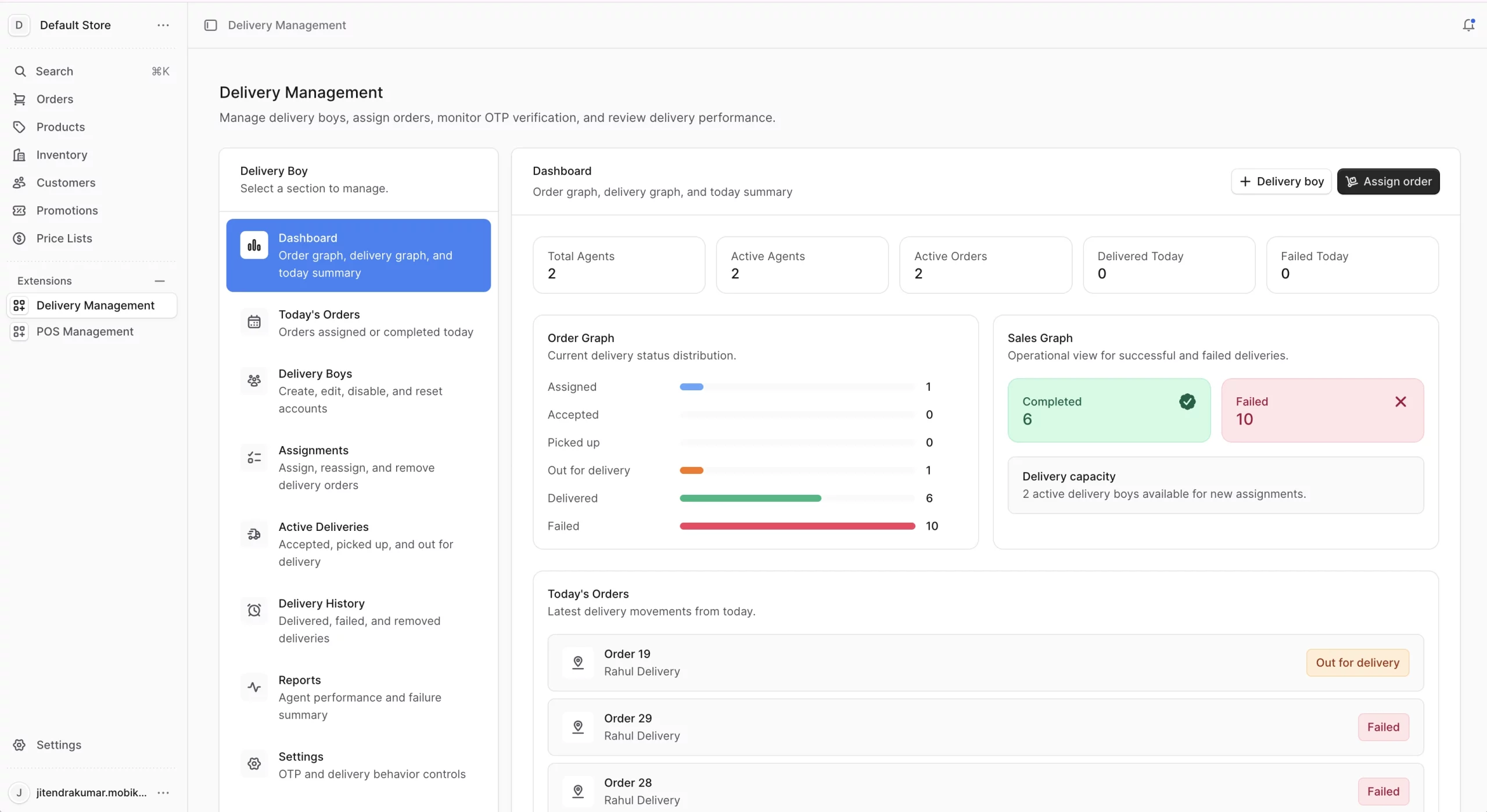
Backend Output
- Manage Delivery Agents
- Assign Orders to Delivery Agents
- View Assigned Orders
- Update Delivery Status
- Track Delivery Progress
Backend Dashboard
Mobile Application Integration
Step 1: Fetch Assigned Orders in the Delivery App
Create a service to retrieve assigned orders from the Medusa backend.
|
1 2 3 4 5 6 7 8 9 10 11 12 13 14 |
import 'dart:convert'; import 'package:http/http.dart' as http; Future<List<dynamic>> getAssignedOrders() async { final response = await http.get( Uri.parse('http://localhost:9000/delivery/orders'), ); if (response.statusCode == 200) { return jsonDecode(response.body); } else { throw Exception('Failed to load orders'); } } |
This API can be called to display assigned orders in the delivery application.
Step 2: Update Delivery Status from the App
Create a function to update the delivery status.
|
1 2 3 4 5 6 7 8 9 10 11 12 13 14 15 16 17 18 19 20 21 22 |
import 'dart:convert'; import 'package:http/http.dart' as http; Future<void> updateDeliveryStatus( String orderId, String status, ) async { final response = await http.post( Uri.parse('http://localhost:9000/delivery/status'), headers: { 'Content-Type': 'application/json', }, body: jsonEncode({ 'orderId': orderId, 'status': status, }), ); if (response.statusCode != 200) { throw Exception('Failed to update status'); } } |
This function can be used when the delivery agent updates an order status such as Accepted, Picked Up, Out for Delivery, or Delivered.
Step 3: Update Delivery Location
Create a function to send the delivery agent’s location to the backend.
|
1 2 3 4 5 6 7 8 9 10 11 12 13 14 15 16 17 18 19 20 21 22 23 24 |
import 'dart:convert'; import 'package:http/http.dart' as http; Future<void> updateLocation( String orderId, double latitude, double longitude, ) async { final response = await http.post( Uri.parse('http://localhost:9000/delivery/location'), headers: { 'Content-Type': 'application/json', }, body: jsonEncode({ 'orderId': orderId, 'latitude': latitude, 'longitude': longitude, }), ); if (response.statusCode != 200) { throw Exception('Failed to update location'); } } |
This implementation enables the Flutter delivery application to communicate with the Medusa backend for order management, delivery status updates, and location tracking.
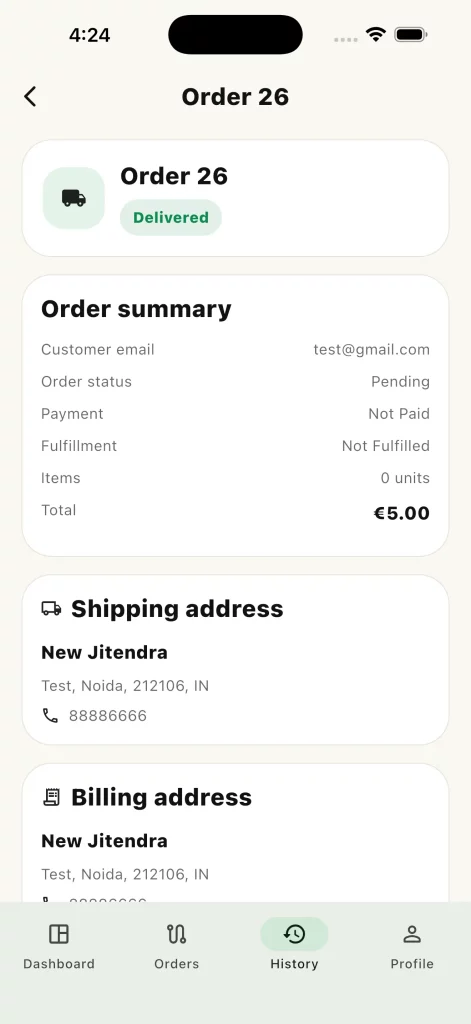
Mobile Application Output
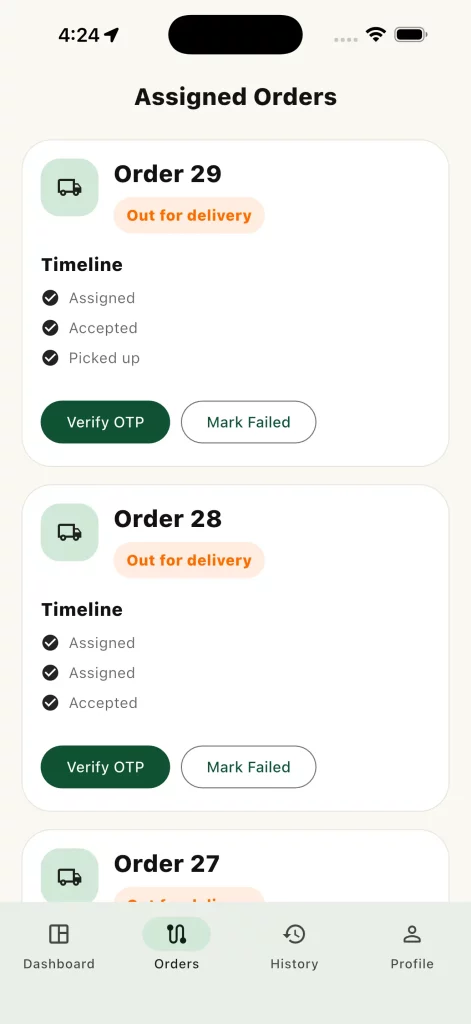
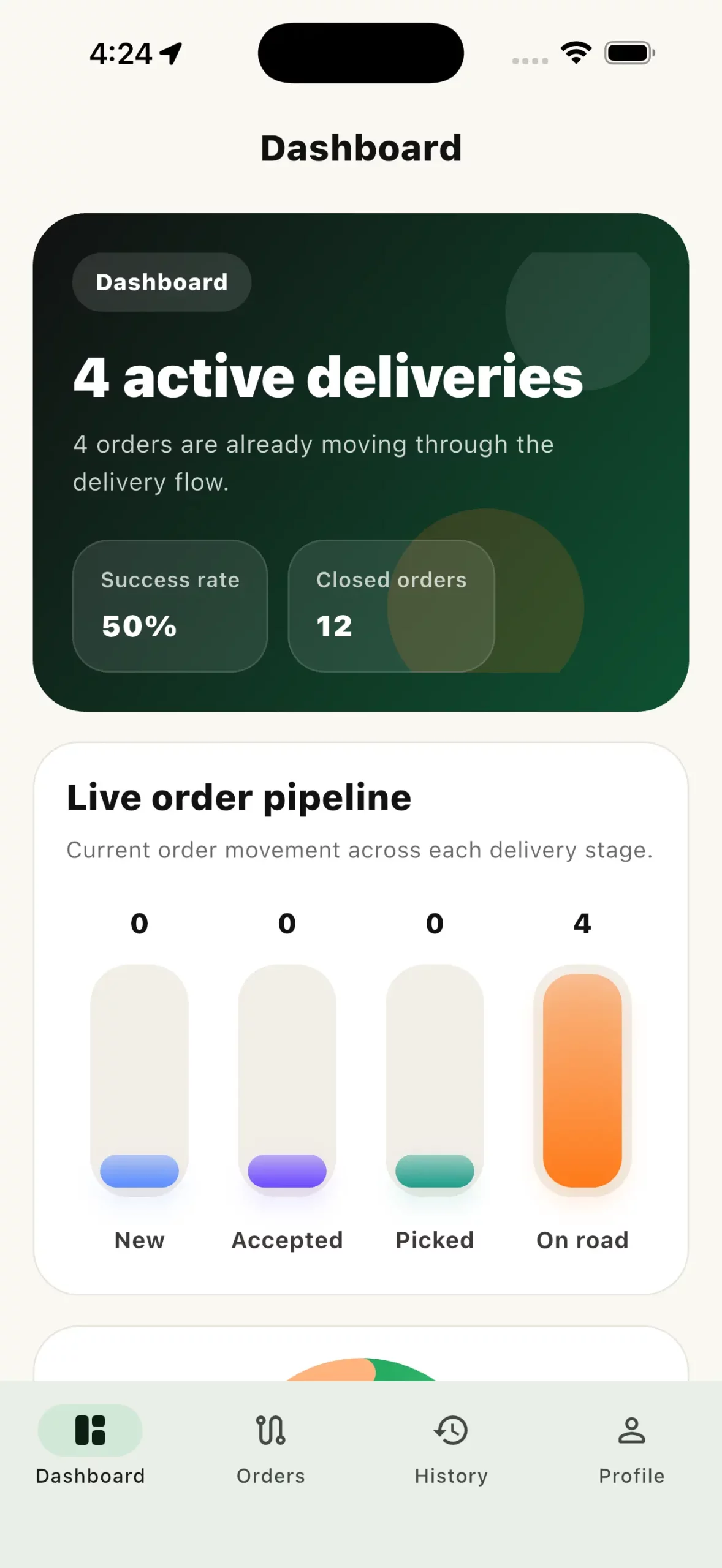
Food Delivery Application
- View Assigned Orders
- Accept or Reject Orders
- Update Order Status
- Track Delivery Location
- View Order History
- Verify Deliveries Using OTP
Food Delivery Application
Monitor active deliveries and delivery progress in real time.
View complete order details and manage assigned orders.
Update delivery status and track deliveries seamlessly.


Conclusion
Node.js and Medusa provide a flexible foundation for building a Food Delivery App with delivery tracking and status management features.
This approach streamlines development and supports scalable mobile applications.
You can also explore other informative blogs on Mobikul for more knowledge.